


Pregnancy Tracker, Maternity
4.692.00 Reviews
App Specs
- Version
- 1.28.0
- Updated On
- License
- Free
- Downloads
- 5,000,000+
- Developer
- Appwest Limited
- Categories
- Parenting
- Platform
- Android, iOS
Screenshots
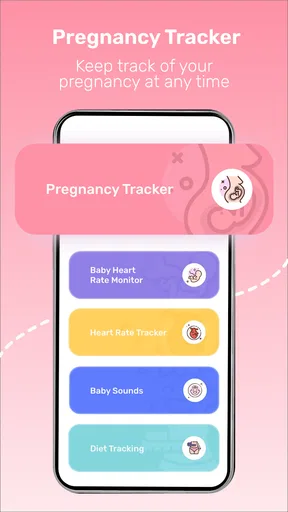
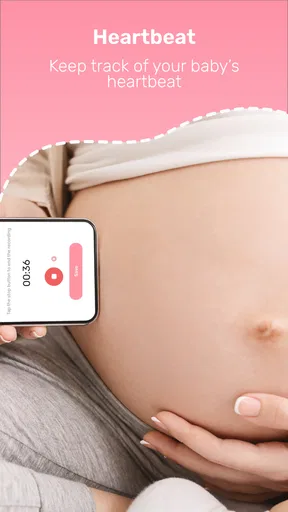
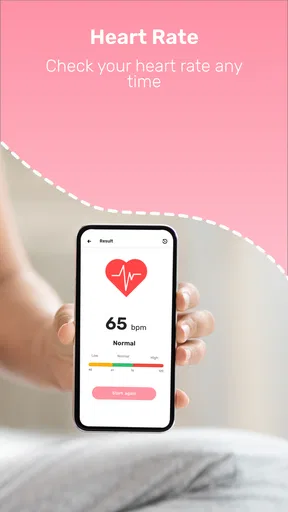

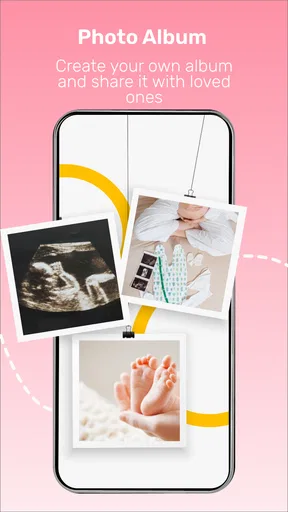
 Analysis by AppCompare
I look for one practical thing from a pregnancy app: does it help me keep useful details in one place without turning every new symptom into a reason to worry? Pregnancy Tracker, Maternity aims to be an everyday companion, combining pregnancy progress with tools for counting kicks and timing contractions. That mix gives it a clear purpose, though I’d treat it as an organizer and source of general guidance—not as a substitute for medical advice.
What makes this kind of app most useful is not any single screen; it’s having a simple routine you can return to when life is busy. A pregnancy tracker can help you remember questions, notice what you want to discuss at an appointment, and make a late-pregnancy task less fiddly. The trade-off is that tracking can become another obligation, so the best approach is to use only the parts that genuinely help you.
A useful place to collect small details
Pregnancy often brings a stream of little observations that are easy to forget: how you have been feeling, what you want to ask, or when a pattern started. A tracker is most valuable when it turns those scattered thoughts into something you can review calmly. I’d use the app in short visits rather than trying to document every moment. A few notes that matter to you can be more useful than a perfect record you quickly abandon.
One practical habit is to check in at a consistent time, perhaps after dinner or before an appointment, and decide whether there is anything worth recording. That keeps the app from interrupting your day with constant self-monitoring. If you are already keeping notes elsewhere, choose one home for the details you may want to revisit; splitting them between several apps, paper lists, and messages can make the information harder to find when you need it.
What the tracking tools are good for
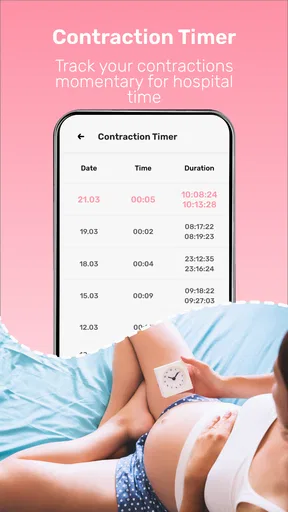
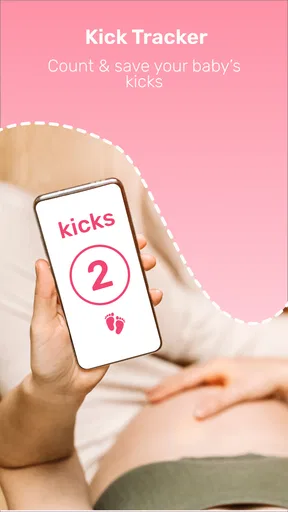
The kick counter and contraction timer are especially relevant as pregnancy advances, when remembering a sequence or timing intervals can feel harder than it sounds. I’d open the tool when I had a clear reason to track, rather than treating every movement or sensation as a data point. That distinction matters: a counter can help you keep an observation, but it cannot interpret what it means for your health.
If you are using a timer during a period of contractions, it can be useful to focus on entering events consistently and then share the observations with your care team if appropriate. Don’t rely on an app to decide whether you should seek help. Follow the guidance you have received from your clinician, and contact them when you are concerned. A phone tool can support communication; it should not become a gatekeeper between you and professional care.
There is also a small but important usability trade-off with any counter: it is only helpful if you can operate it comfortably when tired, distracted, or uncomfortable. Before you need it in earnest, take a moment to find the relevant controls and understand the basic workflow. That quick familiarization is more useful than discovering how the timer works in the middle of a stressful moment.
Worth Reading Before You Choose

Switching to Android Auto Means Rethinking Your Driving Routine

Google Calendar Makes a Crowded Week Easier to Manage

Baby Panda World Brings Quick Play to Modern Phones, but Its Game Library Feels Busy

ESPN’s Live Game View Makes Following Close Games Easier

QuizzLand Review: A Good Fit for Short Trivia Breaks, Not Every Player

Basketball Stars: Multiplayer Is Fast, but Can It Recover When Matches Go Wrong?
How it fits beside other pregnancy resources
Compared with a paper calendar or a basic notes app, a dedicated pregnancy tracker brings pregnancy-specific tools together instead of asking you to build your own system. That can save effort if you want progress tracking and late-pregnancy counters in one place. A calendar may still be better for appointment planning, while notes can be preferable if you want a flexible journal without a pregnancy-focused interface.
It also sits alongside, rather than replaces, advice from a midwife, doctor, or other qualified professional. General app content can help you prepare questions and learn at your own pace, but individual care depends on your circumstances. I would be cautious about using any community discussion or general article as a personal medical answer. If a concern is specific to you, a conversation with your care team is the more appropriate route.
For someone comparing apps, the useful question is not which one has the longest feature list, but which one matches the way they want to manage pregnancy. If you mainly want a private record, a simple journal may feel less busy. If you want a dedicated pregnancy space that also includes counting tools, this app’s combination is more convenient. Either way, it is reasonable to start with the tools you expect to use and ignore the rest.
Your Pregnancy Companion
First off, let’s talk about the user interface. The Pregnancy Tracker, Maternity app greets you with a warm, welcoming design that feels like a comforting hug. It’s super easy to navigate, which is a relief when you’re juggling a million things during pregnancy. The home screen offers a quick glance at your progress, with a countdown to the big day. It’s like having a little cheerleader in your pocket!
Tracking Made Easy
One of the standout features of this app is the weekly updates. Every week, you get a fresh batch of insights about what’s happening with your baby and your body. It’s fascinating to see how your little one is developing, and the app’s descriptions are both informative and reassuring. I found myself looking forward to these updates like they were the next episode of my favorite series.
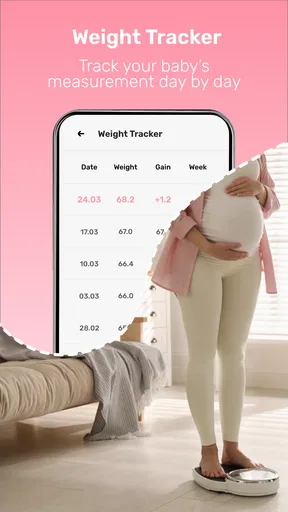
The app also lets you track your own health metrics, such as weight gain, blood pressure, and even mood swings. This holistic approach ensures you’re not just tracking your baby’s growth, but also keeping an eye on your own wellbeing. It’s like having a personal assistant who’s always got your back.
Connecting with Community
Another cool feature is the community aspect. You can connect with other expectant parents, share experiences, and ask questions. It’s a vibrant, supportive space that can make a world of difference, especially during those times when you feel a bit overwhelmed. It’s nice to know you’re not alone on this journey.
A community can be comforting, but I’d use it for shared experiences rather than diagnosis. Pregnancy stories are personal, and what happened for another parent may not apply to you. When a discussion raises a medical question, I’d take that question to a professional instead of relying on replies from people who do not know your health history. That boundary lets the social side be supportive without giving it more authority than it should have.
Educational Resources Galore
If you’re a knowledge sponge like me, you’ll love the app’s library of articles and tips. From nutrition advice to labor preparation, the content is well-curated and super helpful. I spent hours just soaking it all in, and I have to say, I feel much more prepared for what’s to come.
My advice is to read with a purpose rather than trying to absorb everything in one sitting. If an appointment is coming up, choose a topic that helps you form a question; if you are preparing for birth, focus on the information that feels relevant to your plans. That makes the library easier to use as a reference and helps prevent an endless scroll through material you may not need right now.
Plus, the app includes videos and interactive content, making learning engaging and fun. It’s like having a mini pregnancy course right in your pocket. Who knew education could be this entertaining?
Customizable Experience
One of the things I appreciate most about this app is the level of customization it offers. You can tailor notifications to suit your needs, ensuring you’re not bombarded with info you don’t find useful. It’s all about creating a personalized experience that works for you.
That flexibility matters because pregnancy information can feel welcome one week and overwhelming the next. I’d keep reminders that support a routine and switch off anything that starts to feel like pressure. A notification should make it easier to return to a tool, not leave you feeling behind for missing an update. It is worth reviewing those choices after your needs change, rather than assuming the first setup will suit the whole pregnancy.
And let’s not forget the kick counter and contraction timer! These tools are invaluable as you approach the final stretch. They’re simple to use and designed to give you peace of mind when you need it most.
Who will get the most from it
I think this app is a strong fit for someone who wants a pregnancy-focused home base: progress information, personal tracking, educational material, and practical counting tools gathered in one experience. It may be particularly handy for a first-time parent who wants a steady way to follow the weeks and collect questions, or for someone who prefers tapping through a phone rather than maintaining a paper planner.
It may be less appealing if you dislike logging personal details, prefer a very minimal calendar, or find frequent pregnancy content increases your anxiety. In that case, a plain notes app, a paper notebook, or conversations with your care team may be a calmer choice. You do not need to use every feature to make the app worthwhile, and you do not need an app at all if another method already works well for you.
For a realistic everyday routine, imagine checking the weekly information during a quiet moment, jotting down a question you want to raise at your next appointment, and then closing the app rather than browsing indefinitely. Later, if you have a reason to use the kick counter or contraction timer, you already know where to find it. That kind of light-touch use captures the practical benefits without making tracking the center of your day.
Costs, fit, and a sensible boundary
The app is free to download, with optional in-app purchases priced from $4.99 to $29.99 per item. I’d first work out whether the free experience meets your needs before considering any purchase, and check the purchase details in the app so you know what you are choosing. That is especially sensible if you only want one or two tools and do not expect to use a broader set of content.
Appwest Limited develops it, and its 4.6 average from around 18,000 ratings suggests many users have found it useful. It has been installed over 5 million times, but popularity alone cannot tell you whether its approach suits your preferences. It is rated for everyone, and the current version is 1.28.0; Android users need version 6.0 or later. Those details make it easy to judge basic compatibility, while the more personal question is whether you like keeping pregnancy information in an app.
Conclusion: A Must-Have App
In conclusion, the Pregnancy Tracker, Maternity app is a fantastic companion for anyone navigating the incredible journey of pregnancy. It’s packed with features that are both practical and reassuring, all wrapped up in a user-friendly package. Whether you’re a first-time parent or a seasoned pro, this app is sure to enhance your experience.
If you’re curious to try it out, you can find the download links for both Android and iOS on our site. Give it a go, and let me know what you think. Happy tracking!
Pros
- User-friendly interface for easy navigation.
- Comprehensive week-by-week pregnancy info.
- Customizable reminders for appointments.
- Integration with health apps for data sync.
- Offers helpful tips and advice daily.
Cons
- Limited customization for personal preferences.
- Some features require premium subscription.
- Ads can be intrusive in free version.
- Occasional glitches with notification alerts.
- Limited support for multiple pregnancies.
FAQs for Pregnancy Tracker, Maternity
What features does the Pregnancy Tracker app offer?
The Pregnancy Tracker app provides a comprehensive range of features, including weekly pregnancy updates, health tips, a contraction timer, and a kick counter. Users can also access a community forum to connect with other expectant parents and customize their experience with personalized tracking and reminders.
Is the Pregnancy Tracker app available for both Android and iOS devices?
Yes, the Pregnancy Tracker app is available for both Android and iOS devices. Users can download the app from the Google Play Store or the Apple App Store, ensuring compatibility with a wide range of smartphones and tablets for convenience and accessibility.
How accurate is the information provided by the Pregnancy Tracker app?
The Pregnancy Tracker app sources its information from reputable medical professionals and organizations. While the app offers valuable guidance and education, it should not replace professional medical advice. Always consult your healthcare provider for personalized medical guidance during your pregnancy.
Does the Pregnancy Tracker app require a subscription or in-app purchases?
The Pregnancy Tracker app offers a free version with essential features. However, for an enhanced experience, users can opt for a premium subscription, which unlocks additional features such as advanced tracking tools, expert articles, and ad-free usage. Details on pricing are available within the app.
Can I use the Pregnancy Tracker app offline?
Some features of the Pregnancy Tracker app can be accessed offline, such as saved articles and previously viewed content. However, to access real-time updates, community forums, and personalized recommendations, an internet connection is necessary. It's designed to be functional in various connectivity situations.


